
Snap PDF: Photos-to-PDF
Create clean PDF documents from your photos in seconds. Add images from your library or camera, customize layout, paper size, borders, and orientation, then preview, sign, save, or share your PDF instantly.

Import photos fast
Add photos from your library or take new pictures with the camera, then convert them into a PDF in just a few taps.

Customize every page
Choose 1, 2, 3, or 4 photos per page, adjust paper size, orientation, and borders for a cleaner final document.

Preview, sign & share
Review your PDF, rename the file, add a signature, then save it to your device or share it anywhere.

Add photos your way
Choose images from your photo library or take new pictures with the camera to start building your PDF instantly.
Choose the perfect layout
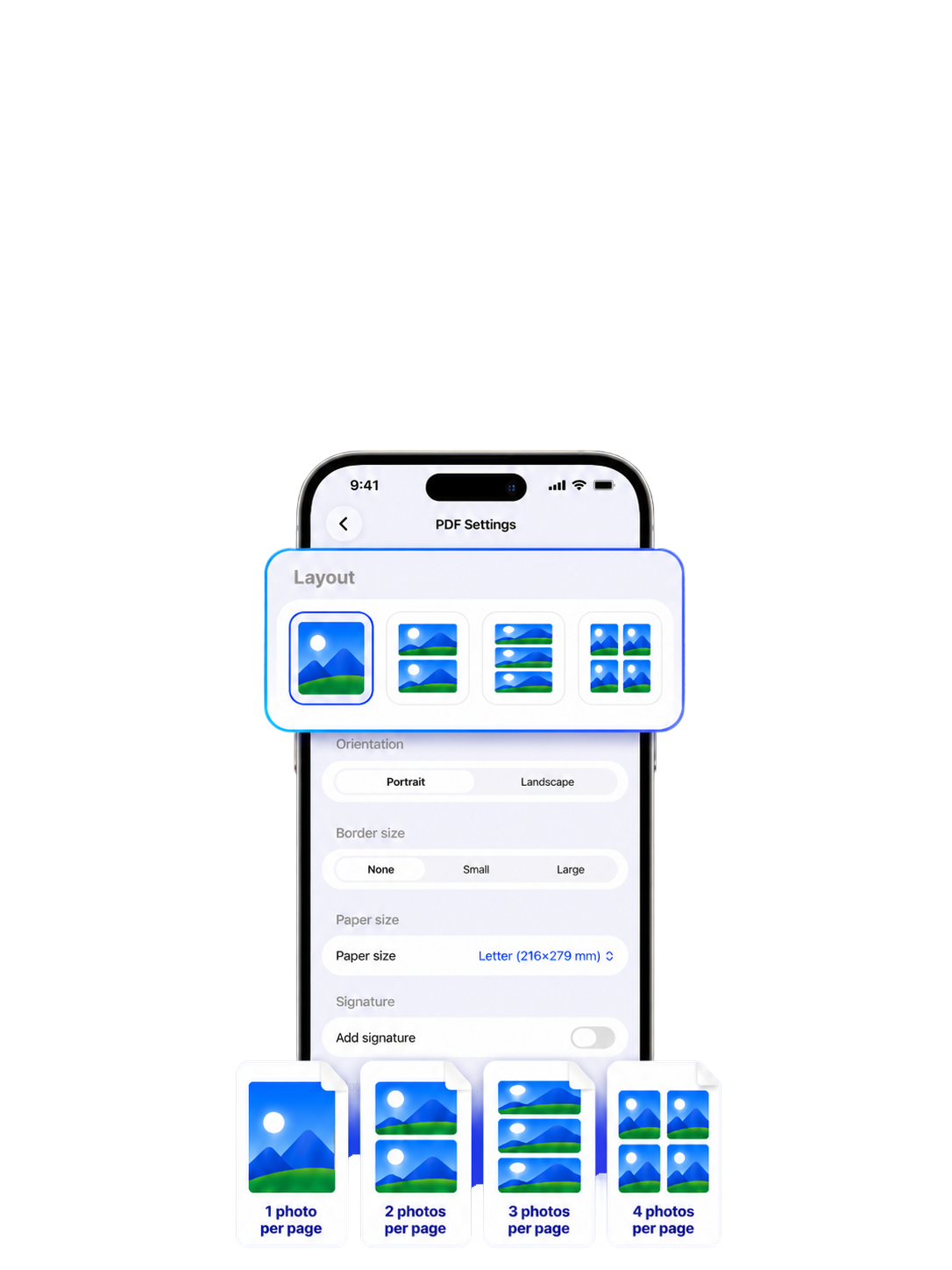
Place 1, 2, 3, or 4 photos on each page, so your PDF looks clean, organized, and easy to read.
Customize document settings
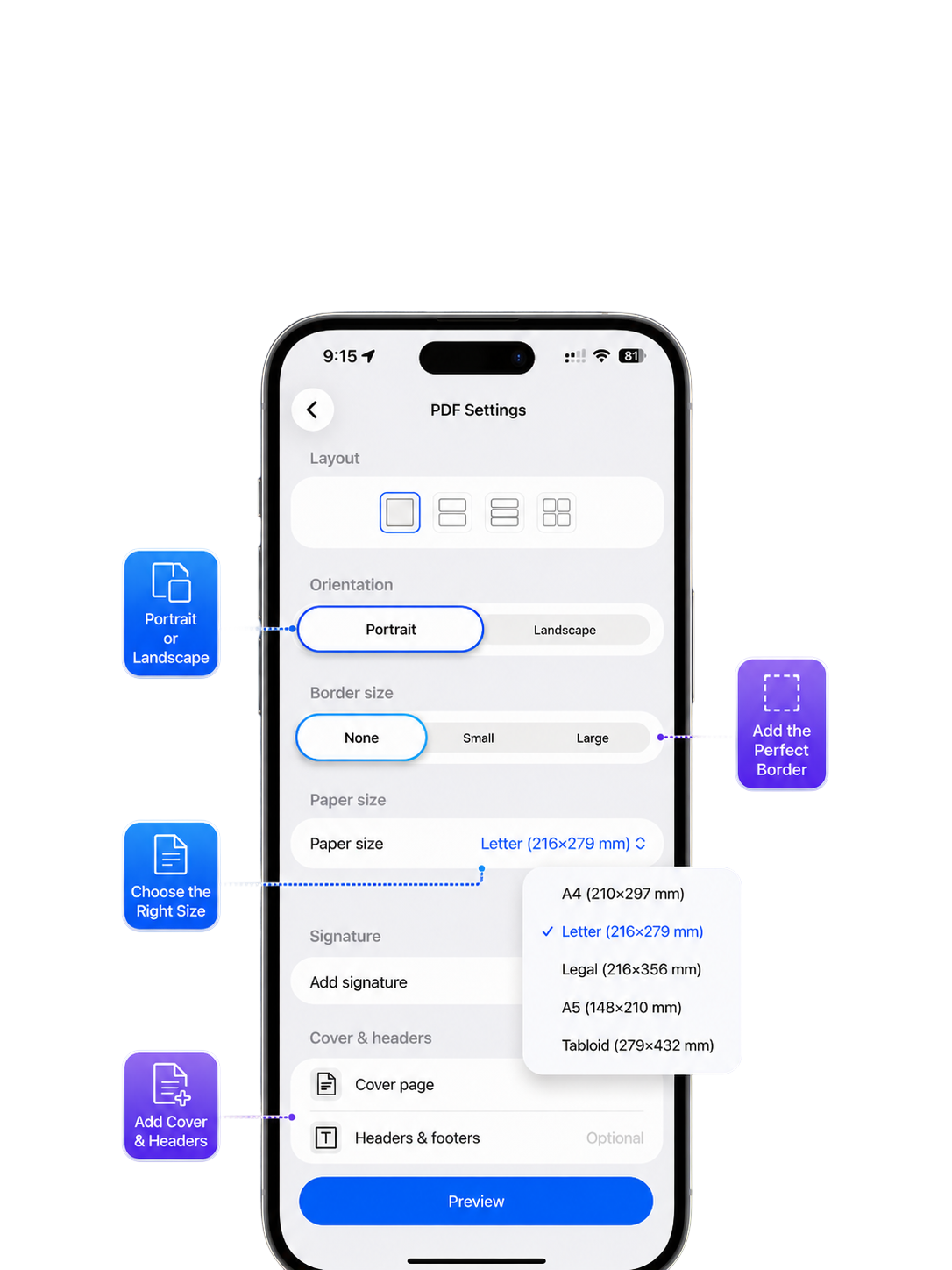
Select paper size, orientation, borders, cover options, and headers to create a PDF that fits your needs.
Preview, sign, and share
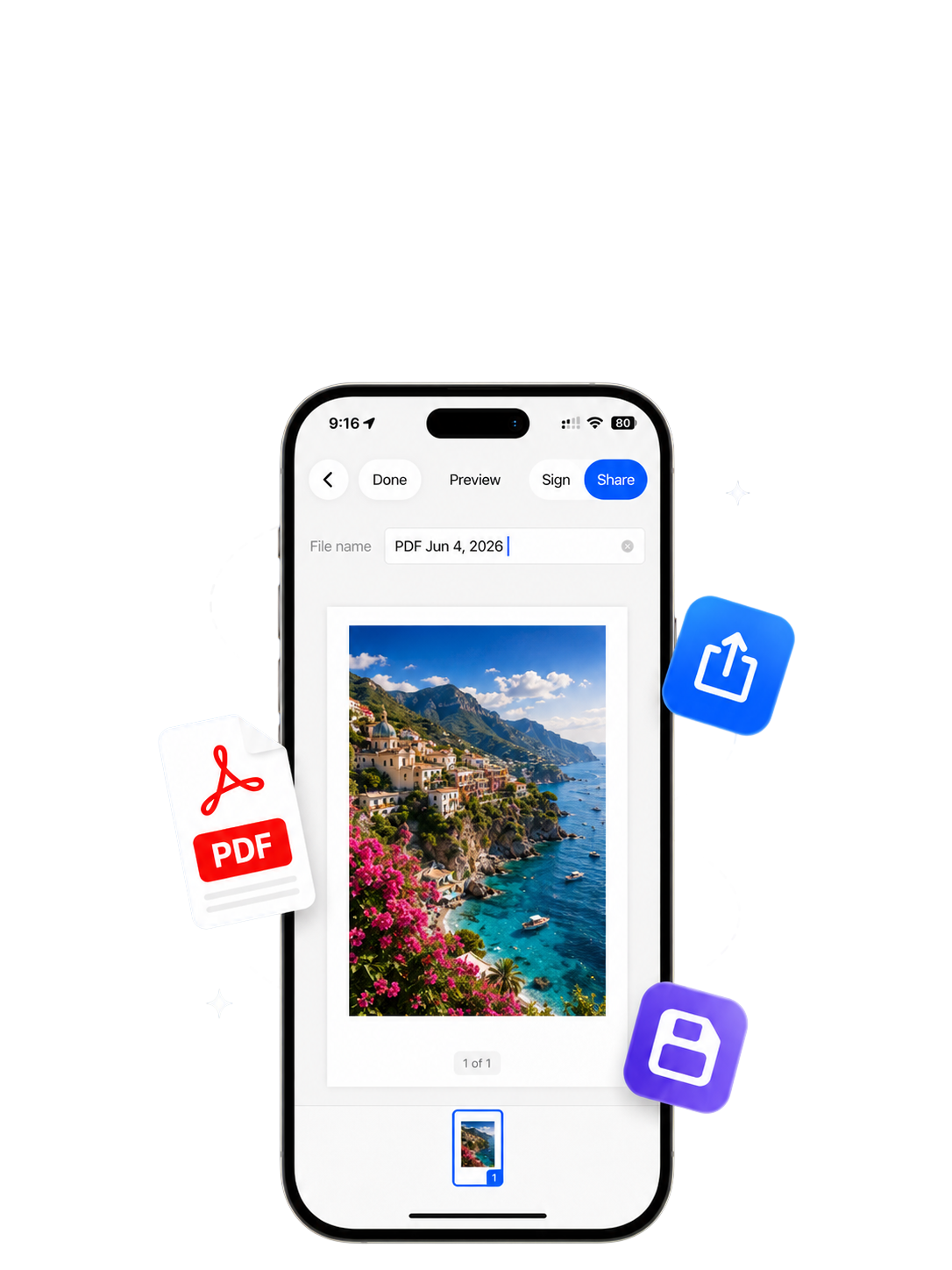
Review your document, rename the file, add a signature, then save it to your device or share it anywhere.
Resources
Support

Find answers, get help, and contact us for support with SnapPDF: Photos to PDF.
Privacy Policy
Learn how your information is collected, used, and protected when you use SnapPDF: Photos to PDF.
Terms of Service
Read the terms and conditions that apply to your use of SnapPDF: Photos to PDF.

Snap PDF: Photos-to-PDF
Create clean PDF documents from your photos in seconds. Add images from your library or camera, customize layout, paper size, borders, and orientation, then preview, sign, save, or share your PDF instantly.

Import photos fast
Add photos from your library or take new pictures with the camera, then convert them into a PDF in just a few taps.

Customize every page
Choose 1, 2, 3, or 4 photos per page, adjust paper size, orientation, and borders for a cleaner final document.

Preview, sign & share
Review your PDF, rename the file, add a signature, then save it to your device or share it anywhere.
Add photos your way
Choose images from your photo library or take new pictures with the camera to start building your PDF instantly.
Choose the perfect layout
Place 1, 2, 3, or 4 photos on each page, so your PDF looks clean, organized, and easy to read.
Customize document settings
Select paper size, orientation, borders, cover options, and headers to create a PDF that fits your needs.
Preview, sign, and share
Review your document, rename the file, add a signature, then save it to your device or share it anywhere.
Resources
Support
Find answers, get help, and contact us for support with SnapPDF: Photos to PDF.
Privacy Policy
Learn how your information is collected, used, and protected when you use SnapPDF: Photos to PDF.
Terms of Service
Read the terms and conditions that apply to your use of SnapPDF: Photos to PDF.

Snap PDF: Photos-to-PDF
Create clean PDF documents from your photos in seconds. Add images from your library or camera, customize layout, paper size, borders, and orientation, then preview, sign, save, or share your PDF instantly.

Import photos fast
Add photos from your library or take new pictures with the camera, then convert them into a PDF in just a few taps.

Customize every page
Choose 1, 2, 3, or 4 photos per page, adjust paper size, orientation, and borders for a cleaner final document.

Preview, sign & share
Review your PDF, rename the file, add a signature, then save it to your device or share it anywhere.
Add photos your way
Choose images from your photo library or take new pictures with the camera to start building your PDF instantly.
Choose the perfect layout
Place 1, 2, 3, or 4 photos on each page, so your PDF looks clean, organized, and easy to read.
Customize document settings
Select paper size, orientation, borders, cover options, and headers to create a PDF that fits your needs.
Preview, sign, and share
Review your document, rename the file, add a signature, then save it to your device or share it anywhere.
Resources
Support
Find answers, get help, and contact us for support with SnapPDF: Photos to PDF.
Privacy Policy
Learn how your information is collected, used, and protected when you use SnapPDF: Photos to PDF.
Terms of Service
Read the terms and conditions that apply to your use of SnapPDF: Photos to PDF.